macbook pro m4 vs macbook air m4
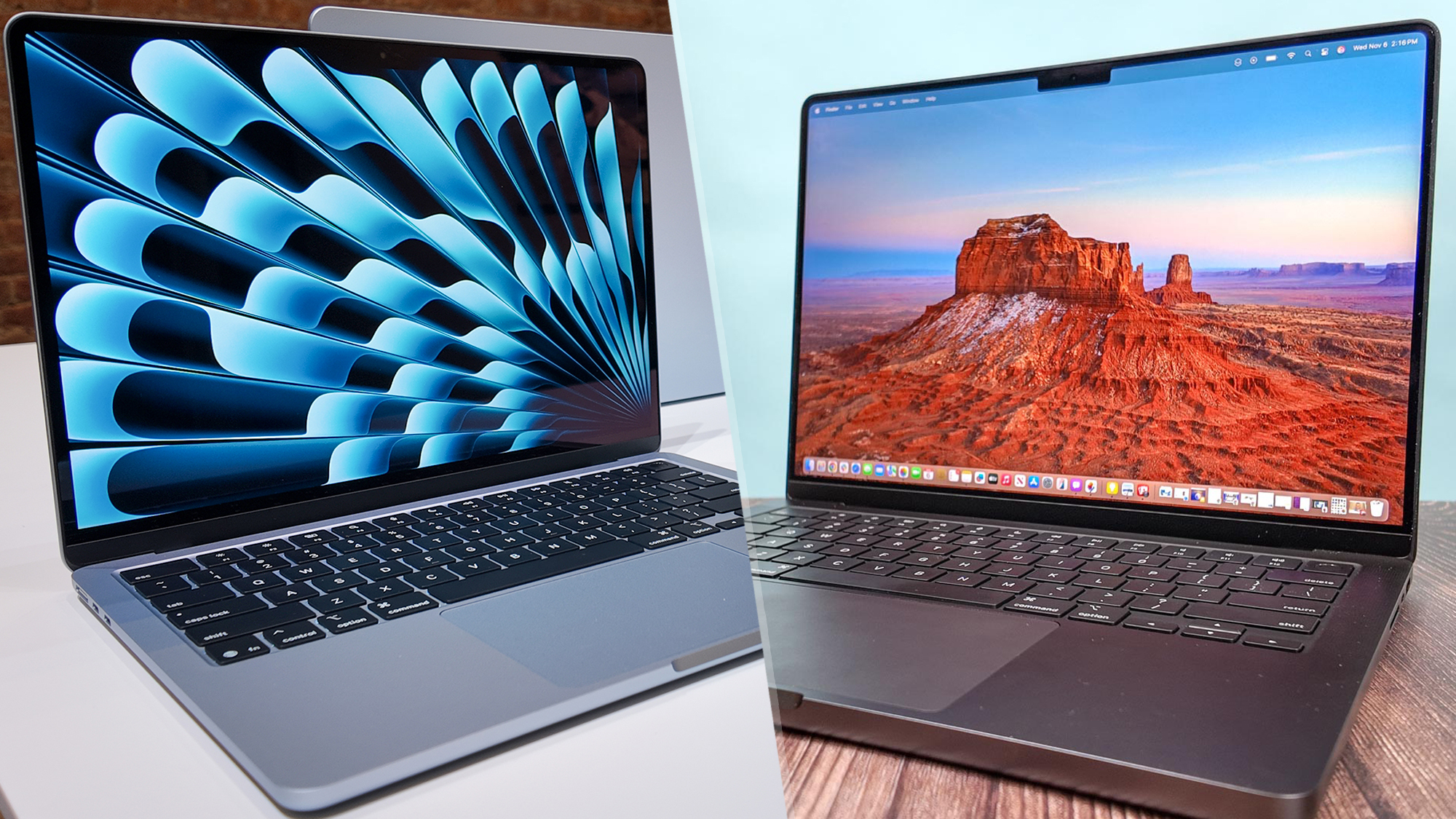
Apple's silicon revolution continues with the release of the M4 chip, powering the latest MacBook Pro and MacBook Air models. But if you’re in the market for a new Mac, the question remains: Which M4-powered machine is right for you?
This blog compares the MacBook Pro M4 and MacBook Air M4 across design, performance, battery life, ports, pricing, and who should buy what.
🔍 Design & Build
MacBook Air M4
-
Ultra-slim, fanless design
-
Available in 13-inch and 15-inch variants
-
Lightweight and portable: perfect for students or frequent travelers
-
Comes in fun colors: Midnight, Starlight, Silver, and Space Gray
MacBook Pro M4
-
Premium aluminum unibody, slightly heavier
-
Available in 14-inch and 16-inch sizes
-
Features active cooling with fans for sustained performance
-
Comes in Space Black (exclusive), Silver, and Space Gray
Verdict: Go for MacBook Air M4 if portability matters. Choose MacBook Pro M4 for a more robust, professional feel.
⚡ Performance (CPU, GPU, RAM)
MacBook Air M4
-
Powered by M4 chip (base model, 8-core CPU, 10-core GPU)
-
Unified memory up to 24GB
-
Great for everyday tasks, light editing, and productivity
-
No fans = silent, but can throttle under heavy sustained loads
MacBook Pro M4
-
Powered by M4 Pro or M4 Max (more CPU/GPU cores)
-
Unified memory up to 64GB (M4 Pro) or 128GB (M4 Max)
-
Built for video editors, developers, 3D artists, and other pro workflows
-
Active cooling allows sustained high performance without throttling
Verdict: Casual users and students? Air M4. Power users and creatives? Pro M4.
🔋 Battery Life
-
MacBook Air M4: Up to 18 hours of battery life
-
MacBook Pro M4: Up to 22 hours (especially the 16-inch model)
Thanks to the M4 chip's efficiency, both deliver impressive longevity.
Verdict: Both are great, but the Pro edges ahead in endurance.
🎧 Display & Audio
Air M4
-
Liquid Retina display (500 nits brightness)
-
Excellent speakers with Spatial Audio
Pro M4
-
Liquid Retina XDR display (up to 1600 nits HDR)
-
ProMotion 120Hz refresh rate
-
Enhanced six-speaker system
Verdict: The Pro wins for creative professionals who need color accuracy and higher brightness.
🔌 Ports
The MacBook Air M4 comes with 2 Thunderbolt ports, no HDMI port, no SD card reader, and MagSafe charging support. In contrast, the MacBook Pro M4 offers up to 4 Thunderbolt ports, includes an HDMI port, features an SD card reader, and also supports MagSafe charging.
Verdict: MacBook Pro M4 is better for professionals needing more connectivity.
💰 Price
-
MacBook Air M4 starts around $1,099
-
MacBook Pro M4 starts around $1,999 (14-inch) and goes up significantly for the 16-inch M4 Max variant
Verdict: If budget matters, the Air M4 is unbeatable value. The Pro M4 is a long-term investment for power users.
🎯 Who Should Buy What?
Choose MacBook Air M4 if:
-
You're a student, teacher, or casual user
-
You value portability and quiet operation
-
You work in browsing, office apps, coding, or media consumption
Choose MacBook Pro M4 if:
-
You’re a creative professional, developer, or gamer
-
You need advanced graphics and fast rendering
-
You want more ports and a better display
✅ Conclusion
Both the MacBook Air M4 and MacBook Pro M4 are powerful, efficient, and beautifully designed machines. If you're after everyday performance and portability, go for the Air. If you need raw power and pro features, the Pro is well worth the investment.


Comments
Post a Comment